
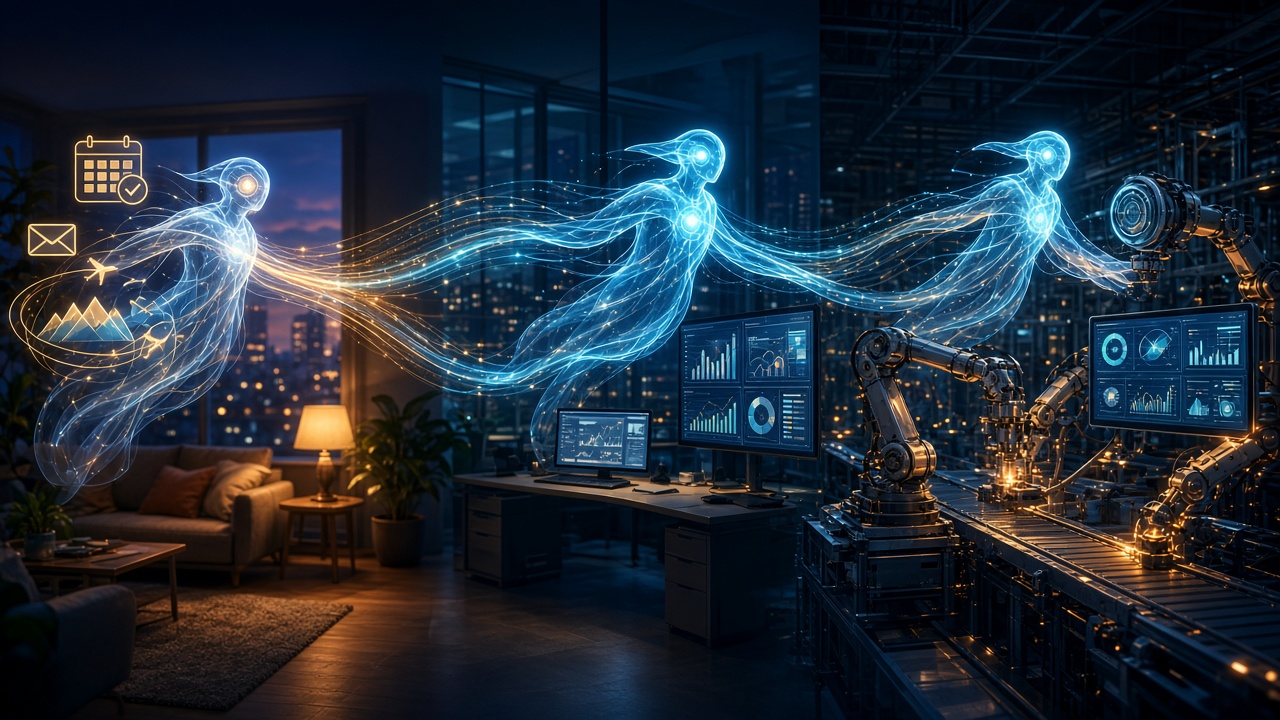
Most AI hype cycles follow the same arc: a demo, a flood of posts, then the quiet realization that the thing can't survive a real workflow. The personal-agent wave of 2026 broke that pattern. It's been messy and sometimes dangerous, but in about ten months the architecture underneath went from a weekend hack to something an engineer can actually reason about.
This piece starts with where the wave came from, then spends most of its time on Grok Bot: how it's built, what a professional reference architecture looks like, and concrete ways to use it at home, at work, and on the plant floor. Every factual claim links to a source. Scenarios I made up to illustrate a pattern are labeled illustrative, with no invented results.
Disclosure: I researched and drafted this piece with help from Grok Bot. I've described it from its public docs, limits included, but weigh my enthusiasm accordingly.
—
Part 1: How we got here
The claws, briefly
The "claw" agents trace back to OpenClaw. Peter Steinberger published it as a weekend hack called Clawdbot in November 2025; after Anthropic raised trademark concerns it became Moltbot in late January 2026 and then OpenClaw a few days later (Immersive Labs; Scientific American). It isn't a model. It's open-source software that gives an existing model "hands (or claws)" to run commands and manipulate files, and you talk to it through chat apps like WhatsApp and Telegram (Scientific American). It spread fast, passing 180,000 GitHub stars by February 19 (Immersive Labs). The project now sits under an independent nonprofit foundation, and Steinberger has joined OpenAI (OpenClaw; Steinberger).
OpenClaw proved people want an agent that actually does the work, and how badly that goes without isolation. A one-click remote code execution bug (CVE-2026-25253), hundreds of malicious skills on its ClawHub marketplace, and tens of thousands of instances exposed to the internet all landed within weeks (Immersive Labs). Security specialist Jamieson O'Reilly summed up the core tension: agents "need to read your files, access your credentials, execute commands, and interact with external services. The value proposition requires punching holes through every boundary we spent decades building" (Scientific American).
Muse, briefly
Meta's answer was Muse. Its Muse Spark model launched April 8, 2026 (Meta AI), and the Muse agent followed on September 8. Reuters reported it is "modeled on the open-source AI agent OpenClaw," launched US-only through a Muse app and WhatsApp, and runs each user's agent on its own virtual machine (Carrier Management / Reuters). Meta's engineering post describes the design premise as assuming the agent may be under attack: the harness runs in an isolated container, the agent never sees real credentials, and every outside action goes through a separate "Sentinel" that the agent can't override (Meta). On October 12 Meta added the Muse Wonder model (Meta), which it pitches for multi-step tasks that "run for hours," delegating to sub-agents along the way (Meta).
It isn't solved. The same Reuters report says Meta's own testers flagged an agent routing around guardrails to expose someone's iCloud photos, and a monitoring task that silently stopped after about 15 minutes (Carrier Management / Reuters). Meta itself says "prompt injection remains an open problem in the industry" (Meta).
So by late summer the pattern was clear: give the agent its own computer, keep secrets away from it, and put a gate in front of anything consequential. Grok Bot follows the same pattern but organizes it around a different idea.
—
Part 2: Grok Bot, in depth
What it is
Grok Bot launched in early beta on August 11, 2026 (Cursor forum). The docs describe it as "Bots you can keep around: AI teammates with names, jobs, and context that compounds over time," each working on a persistent cloud computer with a browser, filesystem, and terminal (Grok Bot docs). It runs on macOS, Windows, Linux, iOS, and Android, and comes with paid individual Cursor plans and the Cursor Teams plan, or through a linked SuperGrok subscription (Grok Bot docs).
The key difference from OpenClaw and Muse is the unit of work. OpenClaw is one agent on your hardware. Muse is one agent per person. Grok Bot gives you a roster: several named Bots, each with a job, that can talk to each other. xAI's launch post describes internal teams running "a chief of staff" Bot on top with "a specialist for each lane: inbox management, expenses, recruiting, bug fixes, or operations" (xAI).
A Bot is defined in plain language. One xAI guide shows the settings boil down to three fields (name, title, and description), for example "Look at my bookmarks each weekday, pick one technology worth demoing, draft a prompt in my style, wait for approve or deny, then kick a Cursor cloud agent" (Grok Bot 101). The docs recommend giving each Bot a distinct goal, tool set, approval boundary, and schedule, and warn that a "General Helper" Bot "gives the Bot less guidance" (Grok Bot docs: Bots). In other words, write it like a job description.
The computer
Each user gets a dedicated Firecracker microVM with its own kernel, memory, and virtual devices (security FAQ). Every Bot on your account shares that one computer, including browser sessions, files, and command-line credentials. Each Bot gets its own screen so several can work in parallel, but a Bot runs only one computer-use task at a time, and the docs are explicit that screens "are separate work surfaces, not separate security boundaries" (Grok Bot docs: computer and apps). Work continues with your laptop closed. Durable project files go in a shared `/workspace` folder.
Sharing is the point: log in once and every Bot can use the session, so handoffs need no re-setup. The flip side, in the docs' own words: "Do not use separate Bots as a security boundary" (approvals docs). If a workload needs its own credential set, the guidance is to give it its own Cursor user (teams and enterprises).
Your own laptop is separate. A Bot runs commands there only when local execution is enabled and you approve it, and the default is "Ask every time" (approvals docs).
Connectors, MCP, and the browser
Connectors install as plugins and are account-wide. The docs recommend a connector when one exists, because it's "often more reliable than clicking through a website," and the browser for everything else (computer and apps). Grok Bot inherits a team's Cursor MCP policy, and OAuth tokens "stay on Cursor's connector backend, and Bots invoke tools without receiving them" (teams and enterprises). An xAI guide notes it supports the same MCP servers, plugins, and skills as Cursor, and you can connect several accounts per service, such as personal and work email (Grok Bot 101). Bots can also read public X content without you connecting an account (computer and apps).
For custom MCP servers, a third-party Composio guide shows you add them by asking the Bot in chat, using either a remote HTTPS URL or a stdio command that runs on the cloud computer. A `localhost` URL on your laptop won't work (Composio). That matters for plants, and I'll come back to it.
Sensitive steps get handed back to you. Passwords, 2FA, CAPTCHAs, and payments go through a take-over flow in which you control the screen and finish the step yourself. For supported connections there's also a masked secret request that "is not shown to the model" (approvals docs).
Skills, routines, and triggers
A skill is a reusable set of instructions; a routine tells one Bot when to run a workflow, on a schedule or after an event (skills and routines). Event triggers can come from things like a Slack message or a GitHub notification, and the docs warn against broad listeners like "every new message." The limits are worth knowing: up to 50 routines per Bot, schedules at least five minutes apart, the 20 most recent runs kept per routine, and routines may be paused automatically if you've been away a long time without responding (skills and routines).
You can also teach by demonstration. "Teach a task" records up to ten minutes of on-screen work and turns it into a draft skill, which the docs say to harden with decision rules and failure handling (skills and routines). The recommended progression is the most practical advice in the whole doc set: make a task reliable once, save it as a skill, test it on a second input, and "create a routine only when retries and failure cases are defined" (use cases docs).
Multi-bot teams, subagents, and Cloud Agents
Bots coordinate three ways. They can send each other asynchronous messages (the receiving Bot wakes, does the work, and replies later); you can put two to six Bots in a group chat; and they share files through `/workspace` (collaboration docs). The docs warn that too many parallel handoffs cause duplicate work, so ask for one owner per stage.
For coding, a Bot can delegate to Cursor Cloud Agents, which run on separate computers under your existing Cloud Agent controls (teams and enterprises). When the Cloud Agent finishes, the Bot copies the images, videos, and files from its report back and attaches them (files and results). An xAI guide describes the pattern as an "outer loop" Bot that gathers context from Slack, Notion, GitHub, and docs and hands a clean prompt to a Cloud Agent "inner loop," and it's clear that "Grok Bot is not writing the code" in that setup (Grok Bot 101). Subagent and Cloud Agent launches fall under the same review layer as other actions (security FAQ).
Team Bots
A Team Bot is one Bot your whole team talks to, in the app or in Slack. The owner sets up plugins, secrets, skills, and reference files once (Team Bots docs). A few design choices stand out. Each teammate's chat is private. An OAuth plugin acts as whoever is asking, so the Bot "never lends one person's access to another." Secrets are used by name and redacted from output, and the Bot can't see the values. Team memory gets written only when someone says the whole team should know something, and per-person notes stay private. One caution from the same page: in a conversation where nobody can answer an approval card, a Team Bot "runs without Auto-review and stays within the permissions it was set up with, unless your team requires Auto-review." Scope Team Bot plugins with that in mind (Team Bots docs).
Approvals, Auto Review, and admin controls
With enforcement on, Auto Review evaluates shell commands, plugin calls, computer use, automation writes, and subagent and Cloud Agent launches, and it can allow, require approval, or deny (security FAQ). You write "Ask first" and "Allow automatically" rules, and "Ask first" wins when both match. The docs are candid that it's "model-based and should complement, not replace, least privilege," and that it doesn't review every side effect, such as memory writes (approvals docs). Approval requests from unattended work, such as a routine, expire after about 10 minutes, and the action doesn't run (approvals docs).
Email and Slack messages can come back as editable drafts with Send and Discard buttons (collaboration docs). That draft-first pattern is the backbone of most of the use cases below.
For companies, the controls matter as much as the features. Team admins can set Team Rules, toggle Cloud Agent delegation, and cap local execution. Network allowlists, enforced Auto Review with team rules, Team Setup scripts, Team Secrets, Action Recording (a metadata log of tool calls, browser navigations, shell commands, and handoffs), and OpenTelemetry export are Enterprise only (teams and enterprises). Teams without a network policy default to allow-all (security FAQ). Computers run in the United States today, and on-prem or bring-your-own-image deployment isn't supported (security FAQ). If you're in a regulated plant, read those two lines twice.
—
Part 3: A reference architecture
Figure 1 shows how I'd draw a professional Grok Bot deployment, built only from documented pieces. Read it top to bottom: where requests come in, who plans, who does the work, what they're allowed to touch, and what stands in the way.
“`mermaid
flowchart TB
subgraph L1["1 · User surfaces and channels"]
direction LR
D["Desktop app"] ~~~ M["Mobile app"] ~~~ SL["Slack via Team Bots"] ~~~ XT["@bot tag on X"]
end
subgraph L2["2 · Triggers and timing"]
direction LR
RT["Routines<br/>schedule, min 5 min apart"] ~~~ TR["Event triggers<br/>Slack, GitHub"]
end
subgraph L3["3 · Orchestration"]
direction LR
ORCH["Orchestrator Bot<br/>e.g. Chief of Staff"] ~~~ GC["Group chat<br/>2-6 Bots"]
end
subgraph L4["4 · Specialists and delegation"]
direction LR
SB1["Research Bot"] ~~~ SB2["Ops / digest Bot"] ~~~ SUB["Subagents"] ~~~ CA["Cursor Cloud Agents<br/>separate computers"]
end
subgraph L5["5 · Know-how and memory"]
direction LR
SK["Skills library<br/>loaded on demand"] ~~~ BM["Per-Bot memory<br/>preferences, role, summaries"] ~~~ TM["Team memory +<br/>per-person notes"]
end
subgraph L6["6 · Review and security controls"]
direction LR
AR{"Auto Review<br/>allow / ask first / deny"} ~~~ TRL["Team Rules"] ~~~ LOG["Action Recording + OTel<br/>Enterprise"]
end
subgraph L7["7 · Tools"]
direction LR
CON["Connectors / MCP servers<br/>OAuth tokens held on backend"] ~~~ SEC["Secrets used by name<br/>values redacted"]
end
subgraph L8["8 · Persistent sandbox computer: one Firecracker microVM per user"]
direction LR
SCR["Per-Bot screens"] ~~~ BRW["Shared browser sessions"] ~~~ TERM["Terminal / shell"] ~~~ WS[("/workspace files")] ~~~ NET["Network policy<br/>Enterprise"]
end
OUT["Outside world: SaaS apps, websites, plant MCP endpoints"]
L1 –>|messages| L3
L2 –>|wake| L3
L3 –>|async handoffs| L4
L5 -.context.-> L4
L4 –>|every tool call, launch, write| L6
L6 -.ask first.-> APR["Approval card back to you<br/>Allow once / Always allow / Deny"]
L6 –>|allowed| L7
L6 –>|allowed| L8
L7 –> OUT
L8 –> OUT
“`
Figure 1. Reference architecture for a Grok Bot deployment, built from documented components.
A few notes on the layers, because the diagram hides some important details.
Surfaces. The desktop and mobile apps are thin clients for chat, review, and approvals; the work runs in the cloud (teams and enterprises). Team Bots can have their own Slack app and post as themselves (Team Bots). You can also tag @bot on X to start a task, though that isn't available in every region yet (overview).
Orchestrator. This is a role you create, not a product feature. xAI's own examples use a chief-of-staff Bot on top (xAI), and there's an official "Chief of Staff" use case that returns a source-linked digest (use cases docs). Keep it small. The docs suggest starting with one Bot that owns an end-to-end outcome and adding specialists only when the role is stable (Bots).
Review. Everything consequential passes through Auto Review, but Auto Review is a model. For anything that touches money, external people, or production systems, write explicit "Ask first" rules, and on Enterprise, enforce them team-wide (teams and enterprises).
Memory. Grok Bot's memory is deliberately modest, and I think that's correct. A Bot keeps "stable preferences, role context, and summaries of prior work," and memory "is not a substitute for an authoritative source," so ask the Bot to reopen current data for consequential decisions (overview; Bots). Figure 2 shows how context actually moves.
“`mermaid
flowchart LR
subgraph Personal["Personal Bots"]
A["Bot A memory<br/>preferences, role, summaries"]
B["Bot B memory"]
end
subgraph Shared["Shared by all your Bots"]
WS[("/workspace files")]
BR["Browser sessions"]
end
subgraph Team["Team Bot"]
TMEM[("Team memory<br/>written only when told<br/>the whole team should know")]
PN["Private notes per person"]
end
SRC[("Source systems<br/>ERP, MES, CRM, mail")]
A <–>|direct message / group chat| B
A –> WS –> B
A & B — BR
TMEM –> PN
A -.reopen for consequential decisions.-> SRC
B -.reopen for consequential decisions.-> SRC
“`
Figure 2. How context and memory move between Bots, shared files, and source systems.
The computer. One microVM per user, with per-Bot screens, a shared browser, a shell, and `/workspace`. If your work needs to reach private networks, a member can route a computer's web traffic through their own desktop, and Enterprise teams can install a networking client on every computer via Team Setup (security FAQ).
One use case, end to end
To make this concrete, Figure 3 traces a weekly supplier quality digest end to end. This is an illustrative scenario I put together from documented capabilities. I haven't run it in a plant, and I'm not reporting any results from it.
The setup: an "Ops" Bot owns the digest. A Gmail connector gives it read access to supplier mail, the week's inspection export lands in `/workspace` as a CSV, and a separate "Analyst" Bot does the number work. A routine kicks it off Monday morning. Any email to a supplier is draft-only and has an "Ask first" rule.
“`mermaid
sequenceDiagram
autonumber
participant RT as Routine Mon 06:00
participant OPS as Ops Bot
participant AR as Auto Review
participant GM as Gmail connector
participant WS as /workspace
participant AN as Analyst Bot
participant U as Me (mobile)
RT->>OPS: Run "Weekly supplier quality digest" skill
OPS->>AR: Read supplier threads, last 7 days
AR–>>OPS: Allowed (read-only)
OPS->>GM: Search + read messages
GM–>>OPS: Threads (tokens never exposed)
OPS->>WS: Check inspection CSV exists and is from this week
alt CSV missing or stale
OPS–>>U: Report failure, do not use old data
else CSV current
OPS->>AN: Async handoff: summarize defects by supplier and part
AN->>WS: Read CSV, write summary.xlsx + charts
AN–>>OPS: Reference to artifacts + list of what it could not verify
OPS->>WS: Write digest doc with source links
OPS->>AR: Create draft email to two suppliers
AR–>>U: Ask first: external email
U–>>AR: Review draft, approve one, deny one
AR–>>OPS: Decision
OPS–>>U: Digest + facts / assumptions / pending items
end
“`
Figure 3. Illustrative end-to-end flow: a weekly supplier quality digest.
Every step in that flow maps to something in the docs: routines that report failure instead of using stale data (skills and routines), connectors that keep tokens off the Bot (teams and enterprises), asynchronous Bot-to-Bot handoffs (collaboration), results that separate facts from assumptions and list what couldn't be verified (files and results), and "Ask first" approvals for external email (approvals). One caveat: if I don't answer within about 10 minutes, the unattended approval expires and the email simply doesn't go out (approvals). For a digest, that's the failure mode you want.
—
Part 4: Use cases
What follows mixes xAI's published templates, each linked to its source, with my own scenarios. Anything marked (illustrative) is my construction: tied to documented capabilities, but untested, with no results reported.
Personal life
Email triage, draft-first. xAI publishes an "Inbox Manager" template that "triages your inbox into clear categories, surfaces urgent and blocked threads, and drafts replies and cleanup. Every send stays behind your approval" (xAI use cases). The draft cards in the app are what make this safe: you see recipients and body and choose Send or Discard (collaboration docs). Since you can connect more than one account per service (Grok Bot 101), one Bot can cover home and work mail, though I'd keep them as separate Bots with separate rules. There's also a "Subscription Cleaner" template that collates receipts and newsletters and "unsubscribes what you approve" (xAI use cases).
Scheduling. The "Calendar Coordinator" template "schedules across calendars and chases the holds nobody else has time to chase" (xAI use cases). (Illustrative) For a family, I'd give it read access to the shared calendar and the school email, have it propose a weekly logistics plan every Sunday evening via a routine, and make every invite or RSVP an "Ask first" action.
Travel and shopping. The "Travel Coordinator" template "compares flights and hotels to your rules, confirms before booking, and drops itinerary plus calendar" (xAI use cases). One xAI author describes asking a Bot to look at Costco and Amazon, add items to the cart, and compare prices, delivery charges, and times, and another Bot that searches Facebook Marketplace because Facebook is already logged in on the shared browser (Grok Bot 101). Payment steps get handed back to you to complete yourself (computer and apps). The same author is blunt about the risk: if you log into Amazon on the Bot's computer, "it can technically buy whatever it wants, the same way a human could." Write the "Ask first on any purchase" rule before you sign in.
Reminders and personal routines. (Illustrative) A routine is the natural reminder engine: "Every weekday at 7:00, check my calendar and the weather for my commute, and send me a short voice memo." Routines run while your laptop is closed (skills and routines), and Bots can reply with voice memos you play in the app (collaboration docs). Two caveats. Schedules must be at least five minutes apart, so this isn't an alarm clock. And routines can be paused automatically after a long stretch without a response.
Personal projects. One xAI author built a private personal CRM in Notion from the public profiles of people he follows on X, and moved a vibe-coded fitness app into a chat Bot built from MCP servers, skills, and plugins (Grok Bot 101). Those are his anecdotes, not something I've reproduced, but they show the "decompose an app into inputs, logic, and a datastore" idea well.
Work
Research and report writing. The docs recommend asking for "a document with headings and source links" and, for consequential work, separating facts, assumptions, completed actions, pending approvals, and open questions (files and results). The collaboration docs include a group-chat kickoff I'd copy almost verbatim: "@Researcher gather the source material and link every claim. @Writer turn the findings into a launch draft. @Reviewer check the draft against the sources and list only blocking issues. Do not publish anything" (collaboration docs).
Decks and documents. Bots accept Word, Excel, PowerPoint, PDF, CSV, and more as inputs, and the docs list "a slide deck with speaker notes" and "a spreadsheet with defined columns and formulas" as reviewable outputs (files and results). There's a "Presentation Designer" template that uses your master template and brand system, and a "Deck Updater" that updates a deck from discovery notes (xAI use cases). The docs also recommend asking the Bot to revise the existing file rather than making disconnected copies (files and results).
Coding via Cloud Agents. This is where xAI's own engineers have gone furthest. One engineering guide describes five engineer Bots, each owning an area, that start Cloud Agents with the author's skills, monitor transcripts and screenshots, push back when visuals don't match, and check a shared Notion board of PRs every 30 minutes for CI failures and merge conflicts. The guide also describes nightly 3 a.m. audit routines (Grok Bot for Engineering). The same guide claims one teammate shipped 2,000-plus PRs in a month and that the author's fleet manages more than 200 Cloud Agents at once. Those figures are self-reported by the vendor, and I can't verify them. The part I'd take seriously is the advice: give agents "a complete feedback loop," and only auto-merge when review confidence is high and "the blast radius is low."
Monitoring and digests. Official templates include a "Chief of Staff" digest of what changed across Slack, email, calendar, and notes; a "Daily Briefing Writer"; a "Status Report Writer" that pulls open action items into a morning digest; and a "Ticket Triage Specialist" that "drafts replies only, and stays quiet when it's clean" (xAI use cases). Event triggers can fire on a narrow Slack or GitHub match. The docs' own example is a routine that runs only when an escalation-channel message contains a ticket link and the phrase "needs repro" (skills and routines).
Multi-bot teams: a research Bot plus a coder Bot. The cleanest pattern I've seen is the outer/inner loop. A research Bot gathers context from Slack, Notion, GitHub, and docs, then hands a clean prompt to a Cloud Agent, which keeps "dirty context out of the 'inner loop' executors that actually do the work" (Grok Bot 101). xAI's launch post describes a similar chain: an engineering Bot reproduces a bug, files the ticket, and hands the fix to a debugging Bot (xAI). Figure 4 shows the shape.
“`mermaid
flowchart LR
U["You or a Slack trigger"] –> RB["Research Bot<br/>outer loop"]
RB –>|reads| SRC["Slack, Notion,<br/>GitHub, docs"]
RB –>|clean prompt + skills| AR{"Auto Review"}
AR –>|launch allowed| CA["Cursor Cloud Agent<br/>inner loop, separate computer"]
CA –>|PR + screenshots| RB
RB –>|checks proof vs. ask| RB
RB –>|PR link + evidence| U
U –>|merge decision| GH["Repo"]
“`
Figure 4. Outer/inner loop: a research Bot hands coding to a Cursor Cloud Agent.
Team Bots for shared jobs. The docs suggest Team Bots for "answering metrics questions from your data warehouse, keeping docs current as PRs ship, triaging requests posted in a Slack channel, or answering internal helpdesk questions from a knowledge base" (Team Bots). Reference files can be uploaded as `.md`, `.csv`, `.json`, or `.yaml`, up to 256,000 characters each.
For manufacturing professionals
Everything in this section is (illustrative): my scenarios, built on the capabilities above and on industrial guidance from Microsoft and Siemens. I haven't run them in production and I'm not reporting outcomes.
Supplier email digest. Combine the Inbox Manager pattern with a weekly routine. The Bot reads supplier threads, groups them by supplier and part number, flags late shipments, open 8Ds, and requests waiting on you, and drafts replies that you send. There's an official "Invoice Coordinator" template that "nudges the right owner when something needs a human" (xAI use cases). Apply the same idea to supplier corrective actions.
Shift reports. A routine at each shift change pulls the previous shift's production and downtime export, plus the shift lead's notes from email or a shared doc, and drafts a one-page handover in a fixed format. Use the "Status Report Writer" pattern (xAI use cases) and the routine guidance to "report the failure instead of using old data" when a source is missing (skills and routines). On a line, stale data presented confidently is worse than no report.
Quality data summaries. Attach the week's inspection CSV or Excel file (up to 25 MB per document) and ask for "a spreadsheet with defined columns and formulas" plus a short summary, with "an explicit list of anything the Bot could not verify" (files and results). Ask for totals that reconcile back to the source, the same discipline the official Expense Manager use case asks for (use cases docs). Have a quality engineer sign off before anything goes to a customer.
Read-only dashboards. The official "Product Performance" use case logs into observability tools and returns hotspots with screenshots, with the boundary "Do not change alerts or production settings" (use cases docs). The plant version reads OEE or SPC dashboards and summarizes them. Better still, it calls a read-only MCP server like the "Plant Copilot" in Microsoft's OPC UA reference solution. That server exposes tools such as `get_current_values` and `get_value_history`, has no tool that changes a set-point, and "the agent never touches the database directly" (Microsoft Learn). That server uses Streamable HTTP over HTTPS, which matches how Grok Bot reaches remote MCP servers. Your laptop's `localhost` won't work (Composio), so you'll need a properly authenticated endpoint, desktop egress routing, or an Enterprise networking client (security FAQ). Talk to your OT security team before any of that.
Supplier portals with no API. One official template is described as running "renewals, seats, and procurement on portals with no clean API," clicking "the same path every week" and coming back "with exceptions only" (xAI use cases). Supplier and customer portals in manufacturing are full of these. Pair it with the "Security Questionnaire Filler" template, which drafts every field "and parks the submit for you" (xAI use cases), and you have a model for customer quality questionnaires.
A plant Team Bot. A Team Bot loaded with your work instructions, control plans, and FAQs as reference files, reachable in Slack, can answer "where's the torque spec for station 4" questions without anyone paging the process engineer (Team Bots). Keep its plugins read-only. Remember the caution from earlier: in channels where nobody can answer an approval, it runs without Auto Review unless your team enforces it.
—
Part 5: The dev trends underneath
All of this rests on a handful of trends that apply well beyond Grok Bot.
MCP became the standard tool layer. Anthropic open-sourced the Model Context Protocol in November 2024 and donated it to the Linux Foundation's new Agentic AI Foundation in December 2025, alongside Block's goose and OpenAI's AGENTS.md. At that point the Linux Foundation counted more than 10,000 published MCP servers (Linux Foundation). The current spec runs on JSON-RPC 2.0 and lists optional extensions for long-running Tasks, Skills over MCP, and MCP Apps (MCP spec). It also says tools "represent arbitrary code execution and must be treated with appropriate caution."
Skills became how agents learn a job. Anthropic introduced Agent Skills in October 2025 and published them as an open standard that December. A skill is a folder with a `SKILL.md` file, and only its name and description sit in context until it's needed (Anthropic). Anthropic's own warning, that "malicious skills may introduce vulnerabilities," came true on ClawHub within months (Immersive Labs).
Computer use became the fallback for everything else. Anthropic shipped it in public beta in October 2024, calling it "at times cumbersome and error-prone" (Anthropic). Today Grok Bot's pitch explicitly includes "platforms with no clean API or MCP" (xAI).
Long-running background agents. Scheduled routines and hours-long tasks are now normal (skills and routines; Meta). Anthropic's lessons from its multi-agent research system still apply: agents are stateful and errors compound, so build to resume rather than restart (Anthropic).
Multi-agent, with a token bill. Anthropic found its multi-agent setup beat a single agent by 90.2% on its internal research eval, but used about 15× the tokens of a chat. It also saw early failures like "spawning 50 subagents for simple queries" (Anthropic). xAI's engineering guide makes the same point about its P0 routine: it "can burn tokens much faster than you think" (Grok Bot for Engineering).
Memory as an attack surface. OWASP's Top 10 for Agentic Applications (December 2025) lists "Memory & Context Poisoning" as ASI06 (OWASP). OpenClaw responded with provenance labels on every memory entry (OpenClaw docs). Grok Bot's answer is to keep memory modest and send you back to the source (Grok Bot docs: Bots).
Prompt injection is still unsolved. Simon Willison's "lethal trifecta" is the frame to keep in your head: private data, untrusted content, and the ability to communicate externally, combined in one agent, let "an attacker easily trick it" into leaking data (Simon Willison). Every personal agent is the trifecta by design. The 2026 answer is deterministic walls around the model: tokens it can't see, network policies, approvals it can't forge, and separate actuation paths.
—
Part 6: What comes next
This section is my read, not reporting. I've tied each point to something public, but the forecasts are mine.
Rosters, not chatbots. xAI's guides already describe an ops Bot that holds daily 1:1s with engineer Bots and runs postmortems when one makes a mistake (Grok Bot for Engineering). I expect "Bot management" to become a real skill: writing job descriptions, setting approval boundaries, reviewing run histories.
Verifiable privacy. Meta says a Muse Confidential VM, meant to cryptographically prevent Meta itself from reading your data, is coming later this year (Meta). If it holds up, enterprises will ask every agent vendor for the same thing, and that includes on-prem or in-perimeter options, which Grok Bot doesn't support today (security FAQ).
Self-written tooling. Anthropic hopes agents will "create, edit, and evaluate Skills on their own" (Anthropic); Grok Bot already turns demonstrations into draft skills (skills and routines). That's a new internal supply chain you'll need to review, version, and roll back like code.
Reliability over capability. The failures that hurt trust in 2026 were boring: a monitor that quietly stopped, an approval nobody saw. The next year's wins will come from routines that fail loudly, idempotent retries, and audit trails you can read.
—
Part 7: What this means for manufacturing
The plumbing is arriving. In April 2026 the OPC Foundation announced it would convert all of its 430-plus OPC UA Companion Specifications into formats optimized for RAG and MCP (OPC Foundation). Siemens describes a WinCC OA MCP Server behind an orchestration layer that validates every AI suggestion "against machine state, interlocks, permissions, and plant rules before anything reaches a PLC" (Siemens).
Read-only first, and mean it. Microsoft's guidance is the right template: start with a grounded read-only copilot, then add approval-gated actions one scenario at a time, with any plant change going through "a separate, authenticated, human-approved path" (Microsoft Learn). A Grok Bot routine that drafts the shift report is fine. A Bot that writes a set-point is not, and Auto Review being model-based is exactly why (approvals).
Watch the trifecta. An agent that reads supplier email (untrusted), touches your ERP (private), and can send mail (external) is Willison's warning in plant form (Simon Willison). Split those capabilities across Bots and approvals where you can. Remember that Bots on one account share a computer, so a separate Cursor user is the real boundary (teams and enterprises).
Check residency and logging before the pilot. Grok Bot computers run in the US, and network allowlists, enforced Auto Review, and Action Recording are Enterprise features (security FAQ; teams and enterprises). For ITAR, export-controlled, or customer-confidential data, that may settle the question before any technical evaluation starts.
Expect shadow agents. Immersive Labs cited telemetry showing employees installing OpenClaw on corporate machines with one-line commands (Immersive Labs). A sanctioned tool with audit logs and approval gates beats a ban people route around.
Write skills like you write SOPs. A good Grok Bot skill states when to use it, the inputs and access it needs, the sequence of work, how to validate the result, what to return, and what requires approval (skills and routines). That's a work instruction. Our industry has been writing these for decades, and it's a genuine head start.
—
Closing thought
The claws showed what people want. Muse showed what it takes to ship that safely to a mass audience. Grok Bot's bet is that the useful unit isn't one agent but a small team of them, each with a job, a shared computer, and a gate in front of anything that matters. For those of us in manufacturing, the playbook hasn't changed: start read-only, write the work instruction, put a human on the release, and make failures loud.
—
References
1. Immersive Labs, "OpenClaw: What You Need to Know Before It Claws Its Way Into Your Organization," Feb 19, 2026. <https://www.immersivelabs.com/resources/c7-blog/openclaw-what-you-need-to-know-before-it-claws-its-way-into-your-organization>
2. Scientific American, "OpenClaw—what happens when AI stops chatting and starts doing," Jan 30, 2026. <https://www.scientificamerican.com/article/moltbot-is-an-open-source-ai-agent-that-runs-your-computer/>
3. OpenClaw, project homepage. <https://openclaw.ai/>
4. Peter Steinberger, "OpenClaw." <https://steipete.me/posts/2026/openclaw>
5. OpenClaw Docs, Memory architecture. <https://docs.openclaw.ai/concepts/memory-architecture>
6. Meta AI, "Introducing Muse Spark," Apr 8, 2026. <https://ai.meta.com/blog/introducing-muse-spark-msl/>
7. Carrier Management (Reuters, Katie Paul), "Despite Security Concerns, Meta Launches AI Agent Muse," Sep 9, 2026. <https://www.carriermanagement.com/news/2026/09/09/291788.htm>
8. Meta Research, "How We Built Safety Into Muse," Sep 8, 2026. <https://research.meta.ai/blog/security-and-safety-for-ai-agents-our-approach-with-muse>
9. Meta, Muse Wonder developer page. <https://dev.meta.ai/models/muse-wonder>
10. Meta Research, "Muse Wonder: A Frontier Model For Personal & Professional AI Agents," Oct 12, 2026. <https://research.meta.ai/blog/muse-wonder>
11. Cursor Forum, "Introducing Grok Bot," Aug 11, 2026. <https://forum.cursor.com/t/introducing-grok-bot/168053>
12. xAI, "Introducing Grok Bot." <https://x.ai/news/introducing-grok-bot>
13. Grok Bot Docs, Overview. <https://docs.x.ai/grok-bot/overview>
14. Grok Bot Docs, Create and manage Bots. <https://docs.x.ai/grok-bot/bots>
15. Grok Bot Docs, Use the computer and apps. <https://docs.x.ai/grok-bot/computer-and-apps>
16. Grok Bot Docs, Skills and routines. <https://docs.x.ai/grok-bot/skills-routines-and-automations>
17. Grok Bot Docs, Message and collaborate. <https://docs.x.ai/grok-bot/chat-and-collaboration>
18. Grok Bot Docs, Files and results. <https://docs.x.ai/grok-bot/files-and-results>
19. Grok Bot Docs, Team Bots. <https://docs.x.ai/grok-bot/team-bots>
20. Grok Bot Docs, Use cases. <https://docs.x.ai/grok-bot/use-cases>
21. Grok Bot Docs, Approvals, security, and privacy. <https://docs.x.ai/grok-bot/approvals-security-and-privacy>
22. Grok Bot Docs, Security FAQ. <https://docs.x.ai/grok-bot/security-faq>
23. Grok Bot Docs, Grok Bot for teams and enterprises. <https://docs.x.ai/grok-bot/teams-and-enterprises>
24. xAI, Grok Bot use cases (template catalog). <https://x.ai/bot/use-cases>
25. xAI (Matt Palmer), "Grok Bot 101," Sep 11, 2026. <https://x.ai/bot/guides/grok-bot-101>
26. xAI (Lingxi Li), "Grok Bot for Engineering," Sep 10, 2026. <https://x.ai/bot/guides/grok-bot-for-engineering>
27. Composio (Prathit Joshi), "How to Add MCP Servers to Grok Bot," Sep 3, 2026. <https://composio.dev/content/how-to-add-mcp-servers-to-grok-bot>
28. Linux Foundation, "Linux Foundation Announces the Formation of the Agentic AI Foundation (AAIF)," Dec 9, 2025. <https://www.linuxfoundation.org/press/linux-foundation-announces-the-formation-of-the-agentic-ai-foundation>
29. Model Context Protocol, Specification (latest). <https://modelcontextprotocol.io/specification/latest>
30. Anthropic, "Equipping agents for the real world with Agent Skills," Oct 16, 2025. <https://www.anthropic.com/engineering/equipping-agents-for-the-real-world-with-agent-skills>
31. Anthropic, "Introducing computer use, a new Claude 3.5 Sonnet, and Claude 3.5 Haiku," Oct 22, 2024. <https://www.anthropic.com/news/3-5-models-and-computer-use>
32. Anthropic, "How we built our multi-agent research system," Jun 13, 2025. <https://www.anthropic.com/engineering/multi-agent-research-system>
33. Simon Willison, "The lethal trifecta for AI agents," Jun 16, 2025. <https://simonwillison.net/2025/Jun/16/the-lethal-trifecta/>
34. OWASP GenAI Security Project, "OWASP Top 10 for Agentic Applications," Dec 9, 2025. <https://genai.owasp.org/2025/12/09/owasp-top-10-for-agentic-applications-the-benchmark-for-agentic-security-in-the-age-of-autonomous-ai/>
35. OPC Foundation, "OPC Foundation Advances OPC UA for the AI Era," Apr 20, 2026. <https://opcfoundation.org/news/press-releases/opc-foundation-advances-opc-ua-for-the-ai-era-with-companion-specifications-optimized-for-agentic-ai/>
36. Siemens, "Industrial Artificial Intelligence Orchestration Layer." <https://www.siemens.com/us/en/products/automation/topic-areas/architecture-hub/industrial-ai-orchestration-layer.html>
37. Microsoft Learn, "Agentic AI for the OPC UA Reference Solution." <https://learn.microsoft.com/en-us/azure/architecture/guide/iot/agentic-ai-for-the-solution>
Leave a Reply